





Windows Visual Styles Utilities
Windows Visual Styles are part of the overall theming experience for Windows XP. Many other utilities can enhance the overall experience, from changing functionality to a complete make-over into Mac OS X, KDE or Gnome Linux, or even an Amiga, BeOS, or Mac Classic OS, complete with appropriate menus, bars, and icons. Check out the software listed below for some of the finest in customization for Windows XP. Be sure to drop us a note if you have any other tools for customizing. We'll evalutate and included it if it looks good.
NeoWin Visual
|
The UXTheme Multi-Patcher v4.0 was created for Neowin by WindowsX and Vorte[x]. It patches the UXTheme.dll for Windows XP/SP1/SP2 Beta/RTM and 2003 and allows you to use un-signed custom visual styles. To simply patch the UXTheme.dll file, run the program, it will determine your operating system, then patch the appropriate file and reboot your PC. To un-patch the UXTheme.dll file, run the program again, and it will un-patch the .dll and then reboot your PC. |
||||
Object Dock
Stardock Corporation $19.95 shareware |
Object Dock is an Mac OS X like dock for Windows XP. The emulation of Apple's Dock is quite good, from Magnification and Genie effects to transparency and "docklets". The functionality is superb and the dock is quite skinnable. Check out WinCustomize for all sorts of Object Dock skins, docklets, and icons. |
||||
Icon Packager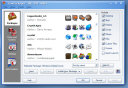
Stardock Corporation $14.95 shareware |
If you want a very simple change to your system that will make a dramatic difference in the look and feel of your system, then look no further than Icon Packager. This utility will allow you to change nearly every icon on your computer to whatever icon you like. Go minimalist, go Ubuntu Linux, go OS X, go Amiga, you choose! Icons in the Start Menu, Desktop, Explorer, and Internet Explorer can all be changed with a few clicks. The default set of icons installed with Icon Packager is getting a little dated, so be sure to check out WinCustomize, DeviantArt, SkinBase, or PC Desktops to get your icons fix. |
||||
miniMIZE
Aquaria Freeware |
This wonderful ~800k applet does one job and does it beautifully. Windows XP should have made this the default way to see open windows and change between them. When mimiMIZE is running, any window you minimize will be turned into a thumbnail and displayed on your desktop and _not_ in the statusbar. Click this link and see an example screen capture of what this looks like. The window can be dragged around and aligned however you like. Your moderator submits this as among the best and most useful Windows utilities available. |
||||
WinRoll 2.0
Wil Palma Freeware |
This sweet utility provides Windows users with a nice Mac Classic touch - Rollup Windows. Choose your own settings, but I like right-clicking a title bar to roll-up the window. Additionally, you can make the window transparent with a mouse click, my preference is for a middle click for this function. You can set the clicks or keystrokes, the transparency level, and more. This simple utility can go far towards customizing your workspace in a usable and fashionable way. Here is a screenshot of my workspace with both miniMIZE and WinRoll in use. The Firefox and Notepad windows are rolled up and the Bash Terminal is transparent at 80% with a Black background set by the terminal. |
||||
YzShadow v1.9
M.Yamaguchi Freeware |
Yz' Shadow is a utility to provide a window shadow to all windows on your desktop, much as OS X does. This bit of eye candy is very useful in customizing, even if your style is not OS X oriented. Most of the styles displayed in the Windows XP Visual Styles section have Yz' Shadow running, so click on the preview for a style to see the shadow. Your moderator cannot understate the nice effect that this applet has on window appearances. You can customize the shadow depth, sharpness, light source, and more. |
||||